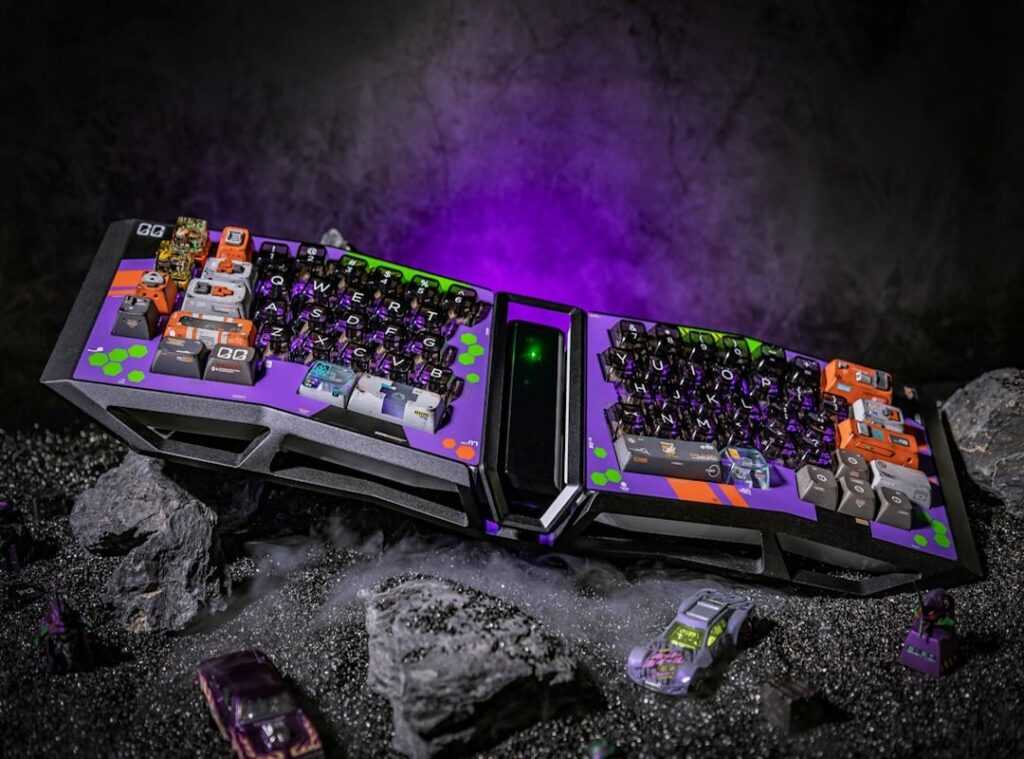
Ever slam your fingers on a generic keyboard, missing that key move in your game? I get it. That out-of-the-box setup feels like a foreign language under your fingertips.
It’s not just you, either. A keyboard should sync with your gaming persona.
This article dives into customizing gaming keyboard setups to match your unique style. I’ve tested and modified countless keyboards, hunting for that edge in esports. You want a keyboard that isn’t just pretty but also boosts your gameplay?
You’re in the right place.
We’ll walk you through physical mods and smart software tweaks. Trust me, you’ll finish this with actionable steps. Your keyboard will look unique, but it will also boost your comfort and performance.
Ready to transform your gaming experience? Let’s do this.
Why Bother Personalizing? More Than Just Pretty Lights
So, you’re asking if customizing gaming keyboard setups is worth it. Short answer: yes. But let’s dig deeper.
Think of your keyboard as a car. You wouldn’t take a stock sedan to the racetrack, would you? Nope.
You’d tune it, tweak it for speed. Same with keyboards for gaming.
First up, aesthetics. We all like pretty lights, sure, but it’s more than that. A personalized setup makes your space truly yours.
It’s like your digital signature. Your buddy might have neon green keys while you rock a sleek monochrome. Personal taste matters.
Then there’s ergonomics. A custom setup can make those marathon gaming sessions more comfortable. Your hands and wrists will thank you.
Why suffer through cramps if you don’t have to?
And let’s not forget about performance. Optimizing your layout can mean the difference between victory and defeat. Quick access to your most-used functions makes gameplay smoother.
It’s like having a cheat code.
Finally, a personalized keyboard makes gaming more immersive. It connects you to the game world. If you’re choosing perfect gaming mouse setups, why not your keyboard too?
Dive into the experience. You’ll never look back.
Level 1 Customization: The Physical Mods
When it comes to customizing gaming keyboards, the physical mods are where the magic happens. Let’s start with keycaps. They’re the easiest way to make your keyboard pop.
Keycaps are the little covers on top of each key. They change the look and feel of your keyboard instantly. Most people don’t realize how different they can be.
You’ve got ABS and PBT. ABS is cheaper but wears out faster. PBT is tougher and feels better to type on.
Then there are profiles like OEM, Cherry, and SA. They all feel different under your fingers. Cherry is low-profile and popular.
SA is tall and retro. It’s all about what feels right to you.
Next, let’s talk about switches. They’re the heart of every keystroke. Mechanical switches come in three flavors: Linear, Tactile, and Clicky.
Linears are smooth and quiet. Perfect for those rapid presses in gaming. Tactiles give you a little bump.
They’re great for typing because you know when you’ve hit the key. Clicky switches? They’re loud.
Some people love that sound, others hate it. Hot-swappable keyboards are your friend if you want to try different switches. You can change them without soldering.
It’s like changing tires without a jack.
Now, don’t forget about accessorizing. It might seem like a small detail, but custom coiled cables can complete the aesthetic. They’re not just about looks either.
A good cable can last longer and withstand more wear. And then there’s the wrist rest. This might sound boring, but trust me, a good one can be a game-changer for comfort.
If you’ve spent hours gaming, you know how important this is. Even a small improvement can make a big difference.
So, what’s stopping you from diving into the world of customizing gaming keyboard? It’s easier than it looks and more rewarding than you think. Plus, who doesn’t want a setup that’s uniquely theirs?
You get to personalize your experience. And in the end, isn’t that what gaming is all about?
Mastering Software and Lighting: A Customization Guide
Customizing a gaming keyboard can seem like a daunting task for beginners. But let me tell you, the satisfaction of nailing that perfect setup is worth every minute. You’re not just playing games; you’re creating an experience.

Let’s talk RGB lighting. It’s not just about flashy colors spinning in a rainbow wave (though who doesn’t love a good light show?). It can be a game-changer.
Cooldowns flashing red or health dropping to red when hit? That’s next-level gaming.
Imagine color-coding your keys: green for WASD, red for attack keys, blue for items. It’s like having your very own in-game assistant. And if your software supports it, you can set lights to signal in-game events.
Now, the software. Many big names like Corsair, Razer, and Logitech have their own programs (iCUE, Synapse, G HUB). I suggest you start with whatever came with your keyboard.
These tools are often more solid than people realize. Play around with them. You might be surprised at what you can achieve.
Creating a custom lighting profile doesn’t have to be hard. I’ve got a quick three-step process for you. First, open up the software and head to the lighting tab.
Next, select the keys you want to tweak. Finally, pick a static color or effect and save it as a new profile. Boom, you’ve just leveled up your keyboard game.
And while we’re talking about upgrades, don’t forget about boosting pc performance graphics card. A good GPU can make all the difference in smooth gameplay and those killer graphics.
So, why hesitate? Dive into the software side and explore what your keyboard can do. It’s not just about playing games.
It’s about elevating your experience. And hey, who doesn’t want to be that person with the coolest setup in the room? Trust me, once you start customizing, you won’t stop.
Pro-Level Customization: Macros and Keybinds
Want to level up your game? Let’s talk about customizing your gaming keyboard. A macro is basically a shortcut that does multiple actions with one key press.
Imagine playing an MMO and needing to type “/invite [playername]” every time. With a macro, you just hit one key. Simple, right?
In plan games, you can create a macro to select a unit group and center your camera on them. It’s like magic (but totally legit).
Now, about remapping keybinds. Ergonomics matter. Move those awkward keys like ‘P’ or ‘L’ to somewhere comfy, like a mouse thumb button.
Your wrists will thank you.
But here’s a pro tip: always check game rules on macros. Some games ban them. You don’t want a suspension ruining your streak.
So, why not give your keyboard a makeover? Get those fingers flying and your game soaring.
Craft Your Perfect Gaming Experience
So, you’re done with settling for a generic setup, right? You know now that customizing gaming keyboard is more than just aesthetics. It’s about transforming your play.
Why stick with the ordinary when you can have a keyboard that’s truly yours? Change those keycaps. Learn your switches.
Master the software. Comfort and performance come next. It’s time to make your gaming gear an extension of you.
Start small. Pick your first change. Maybe it’s those WASD keys?
Or dive into custom macros. Whatever it is, start today. Your ultimate gaming keyboard awaits.
Make it truly yours. Dive in.
 Founder & Chief Visionary Officer
JoystickIngrid has opinions about gamer gear optimization tips. Informed ones, backed by real experience — but opinions nonetheless, and they doesn't try to disguise them as neutral observation. They thinks a lot of what gets written about Gamer Gear Optimization Tips, Esports and Player Perspectives, Geek-Level Gaming Strategies is either too cautious to be useful or too confident to be credible, and they's work tends to sit deliberately in the space between those two failure modes.
Reading JoystickIngrid's pieces, you get the sense of someone who has thought about this stuff seriously and arrived at actual conclusions — not just collected a range of perspectives and declined to pick one. That can be uncomfortable when they lands on something you disagree with. It's also why the writing is worth engaging with. JoystickIngrid isn't interested in telling people what they want to hear. They is interested in telling them what they actually thinks, with enough reasoning behind it that you can push back if you want to. That kind of intellectual honesty is rarer than it should be.
What JoystickIngrid is best at is the moment when a familiar topic reveals something unexpected — when the conventional wisdom turns out to be slightly off, or when a small shift in framing changes everything. They finds those moments consistently, which is why they's work tends to generate real discussion rather than just passive agreement.
Founder & Chief Visionary Officer
JoystickIngrid has opinions about gamer gear optimization tips. Informed ones, backed by real experience — but opinions nonetheless, and they doesn't try to disguise them as neutral observation. They thinks a lot of what gets written about Gamer Gear Optimization Tips, Esports and Player Perspectives, Geek-Level Gaming Strategies is either too cautious to be useful or too confident to be credible, and they's work tends to sit deliberately in the space between those two failure modes.
Reading JoystickIngrid's pieces, you get the sense of someone who has thought about this stuff seriously and arrived at actual conclusions — not just collected a range of perspectives and declined to pick one. That can be uncomfortable when they lands on something you disagree with. It's also why the writing is worth engaging with. JoystickIngrid isn't interested in telling people what they want to hear. They is interested in telling them what they actually thinks, with enough reasoning behind it that you can push back if you want to. That kind of intellectual honesty is rarer than it should be.
What JoystickIngrid is best at is the moment when a familiar topic reveals something unexpected — when the conventional wisdom turns out to be slightly off, or when a small shift in framing changes everything. They finds those moments consistently, which is why they's work tends to generate real discussion rather than just passive agreement.